Page 1 of 1
[Solved] Can't install OpenOffice on Macbook Air M4
Posted: Mon Dec 15, 2025 8:43 pm
by david.stanton1640
Apple won't allow me to open Open Office saying it may be malware. I tried the option to "open anyway" under privacy & security & this didn't work. I called Apple support & the manager said this issue is on Open Office's end. How can I get this resolved?
Re: Can't open Open Office on my Macbook Air M4
Posted: Mon Dec 15, 2025 9:26 pm
by RoryOF
Question/Answer 5 in this tutorial is the usual solution
viewtopic.php?f=74&t=89283
Re: Can't open Open Office on my Macbook Air M4
Posted: Mon Dec 15, 2025 11:16 pm
by david.stanton1640
I've done all this before & as I said it doesn't work. I called Apple & the support manager claimed this is an Open Office problem. This tutorial says it's an Apple problem which I suspected.
Re: Can't open Open Office on my Macbook Air M4
Posted: Tue Dec 16, 2025 1:32 am
by david.stanton1640
I called Apple again & we found out that the open office app isn't compatible with my new mac laptop. I purchased & downloaded the libre office app & may use that. Thank you.
Re: [Solved] Can't open Open Office on my Macbook Air M4
Posted: Tue Dec 16, 2025 2:31 pm
by floris v
LibreOffice is free to download. Something is wrong there.
Re: [Solved] Can't open Open Office on my Macbook Air M4
Posted: Tue Dec 16, 2025 2:36 pm
by Hagar Delest
floris v wrote: ↑Tue Dec 16, 2025 2:31 pm
LibreOffice is free to download. Something is wrong there.
I had the same feeling at first. But I checked and there is indeed a warning on the LO site saying that a contribution is required for the packaging of the app in the stores.
Re: [Solved] Can't install OpenOffice on Macbook Air M4
Posted: Tue Dec 16, 2025 10:31 pm
by MrProgrammer
david.stanton1640 wrote: ↑Mon Dec 15, 2025 8:43 pm
I tried the option to "open anyway" under privacy & security & this didn't work.
There are
more than 100 topics in the MacOSX forum about difficulties convincing Apple's
Gatekeeper system to install OpenOffice. Many are marked [Solved]. Apple has changed that system several times, making it more and more complex. Perhaps procedures have changed, yet again, for MacOS 26. For those who just want to bypass all the Gatekeeper difficulty, $10 will get you a LibreOffice system which is signed by Apple and won't trigger the Gatekeeper. People pay money every day for various conveniences to simplify their lives. This is one of them. $10 is less than a meal for one at a restaurant. You will have to adapt to
some differences between OpenOffice and LibreOffice, but you should find that LibreOffice opens and edits all of your existing OpenOffice files.
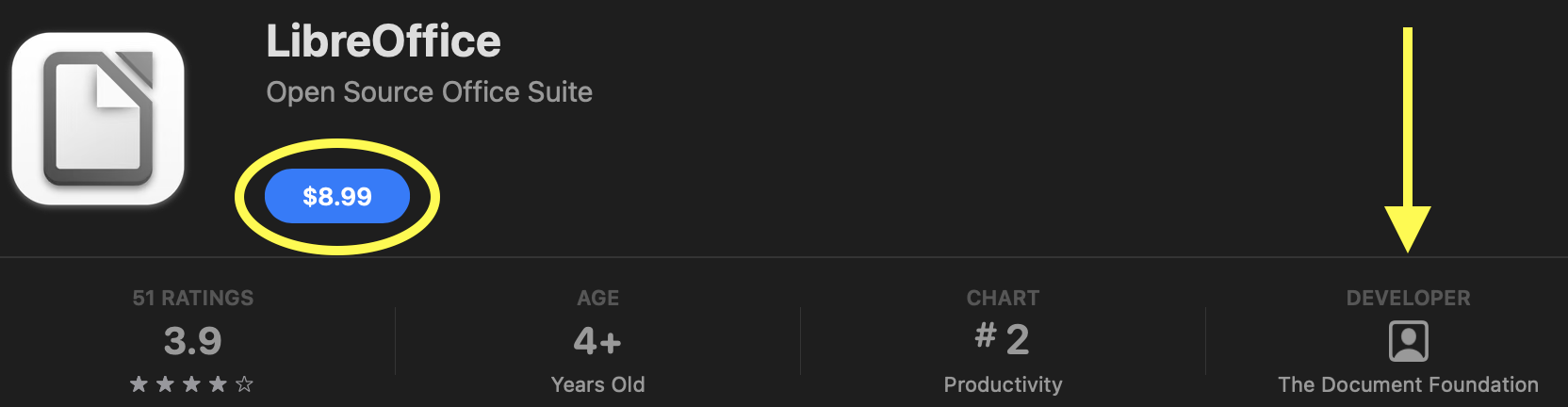
- Image from Apple's AppStore showing LibreOffice
- AppStore.png (79.62 KiB) Viewed 11219 times
For anyone who objects to paying for LibreOffice, note that Apple's computers come with the
pre-installed and free iWork software. OpenOffice Writer and Apple's Pages are both text-processing applications. OpenOffice Calc and Apple's Numbers are both spreadsheet applications. OpenOffice Impress and Apple's Keynote are both presentation applications. But the OpenOffice applications were developed independently from the Apple applications and are not interchangeable. Each has features not found in the other. Apple's applications run on Macs, iPads, and iPhones so you can work on your documents on any of those devices.
Q59: Can I exchange documents between OpenOffice and iWork, Apple's office suite?