RoseWind wrote: ↑Thu Feb 29, 2024 1:32 am
These used to line up and print correctly on letter size sheets of labels …
Used to line up when? Yesterday? Before you installed 4.1.15? Before you got a new printer? Before you updated Windows? When you used OpenOffice 3.2.1 on Windows XP (shown in your
forum signature) back in 2010?
RoseWind wrote: ↑Thu Feb 29, 2024 1:32 am
BUT it printed about 1/2 inch below the actual label start, so all labels were off by that amount.
I downloaded the Avery 5162 template from
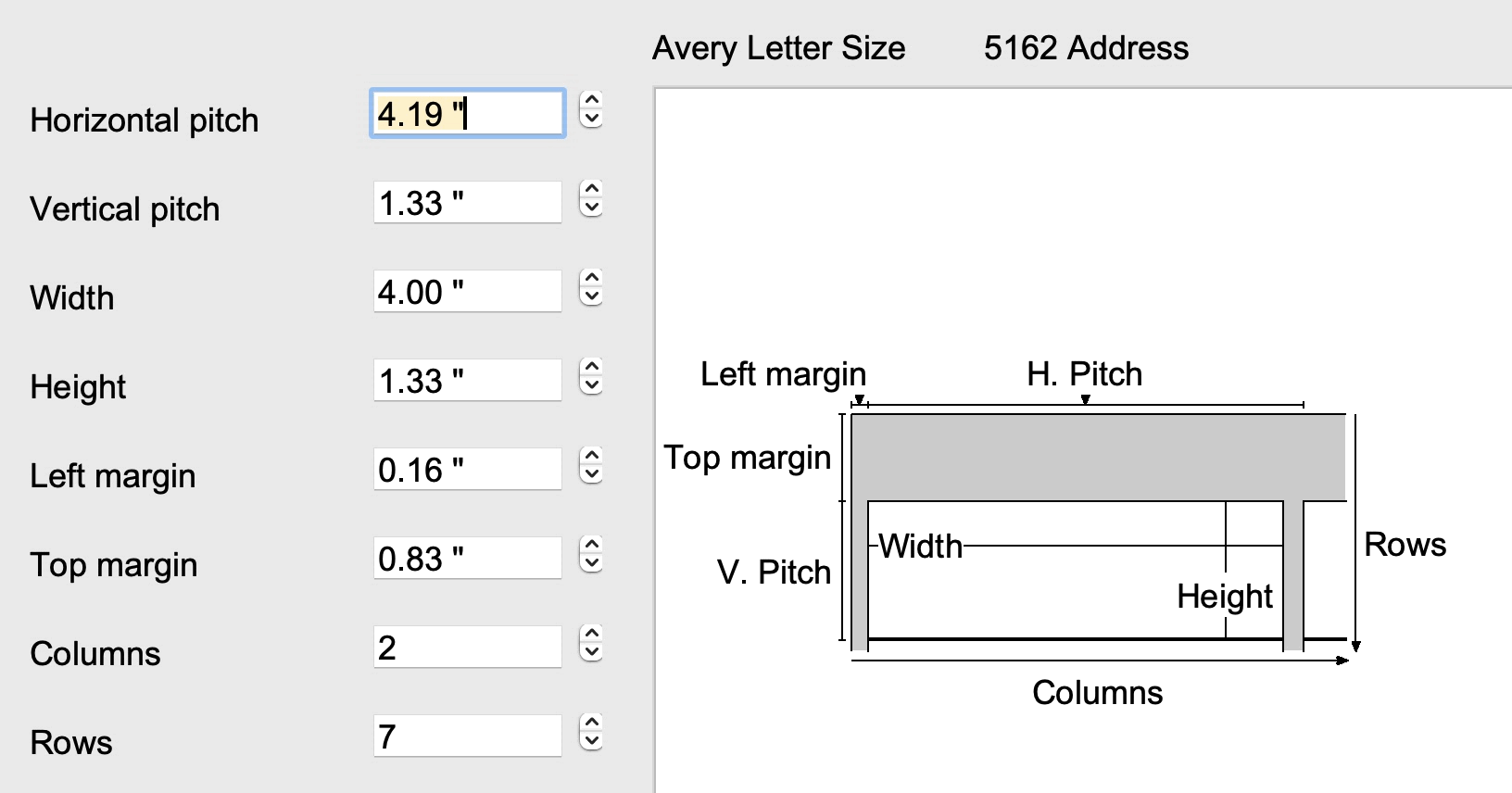
their website. It seems to match the dimensions for the labels created with File → New → Labels → Labels → Format → Sheet → Brand → Avery Letter Size → Type → 5162 Address → Format.
- Avery 5162.gif (54.33 KiB) Viewed 2447 times
Take your labels and measure them with a ruler. Does the first label begin .83 inches (21.2 mm) from the top of the page? Does all the other spacing from the picture above match your physical labels?
RoseWind wrote: ↑Thu Feb 29, 2024 1:32 am
… with new text & an image …
Are you sure the image isn't causing the fields to print down too far? You should
attach a your label document demonstrating the situation
(remove confidential information then use Post Reply, not Quick Reply, and don't attach a picture instead of the document itself). We only need one page with half a dozen labels. The attachment size limit is 128K.
RoseWind wrote: ↑Thu Feb 29, 2024 1:32 am
When I tried changing that the page went to single column (for this 2 column label).
That happens for me if I set the page width (Format → Page) to 8.5 inches. The label wizard seems to think the page should be 8.55 inches wide to accomodate two labels across the page, even though the brand I selected is
Avery Letter Size, which would be 8.5 x 11 inches. But with page width 8.5, Writer believes only one label across fits and puts them in a single column. I don't understand why Writer thinks two labels will be larger than 8.5 inches across. The left one would be from (left margin) 0.16 to 4.16 and the right one from (left margin + horizontal pitch once) 4.34 to 8.34, measured from the left edge of the
page.
My printer is going to use whatever paper is in it, so the 8.55 page width from the label wizard isn't really a problem. I don't know how your printer will react. If your printer doesn't like the size mismatch you could make a PDF of the document (before changing the page size) and try printing that. To avoid wasting labels I print on plain paper until the result matches the labels that I have.
RoseWind wrote: ↑Thu Feb 29, 2024 1:32 am
Header is off …
I don't know what that means.
RoseWind wrote: ↑Thu Feb 29, 2024 1:32 am
Checking existing files of previously working labels with print preview more carefully and they appear to be "broken" also …
Same printer or a new one? If old documents which used to print correctly no longer do so, that suggests a printer problem of some kind, perhaps a change to printer settings. I can't help with that, of course, since I don't have your printer and don't run Windows. If this were happening to my printer, I would make a PDF of the document and use tools I have on MacOS to measure the placement of the text on the PDF page. Then I'd print the PDF on my printer and measure where it printed. If the measurements differ, I'd be looking at my printer settings dialog for the cause. For example, some printer dialogs allow one to scale the document when it is printed. So if set to 75%, the printing will be smaller than the actual document. But when the paper in the printer is a sheet of labels, anything other than 100% will cause the lines not to match the label placement on the sheet.