Page 1 of 1
[Solved] Retain hyperlinks when exporting to PDF
Posted: Thu Jul 20, 2023 10:43 pm
by azibuck
I have been provided a Word doc that has hyperlinks. We use LibreOffice to convert from Word to PDF when loading to our online site. When I open the doc with LibreOffice Writer, the hyperlinks are still there. But after doing File, Export As, Export as PDF, the link text is blue, but is not hyperlinked. I've tried many variations of the options on the Links tab before exporting, but no luck. Am I missing something? Is this possible?
After opening Word doc in Writer:
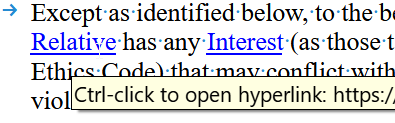
- ajz1076_000406.png (14.18 KiB) Viewed 7880 times
After exporting to PDF:
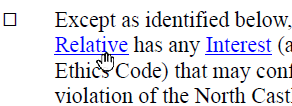
- ajz1076_000407.png (10.37 KiB) Viewed 7880 times
Current Settings on the Export to PDF, Links tab:
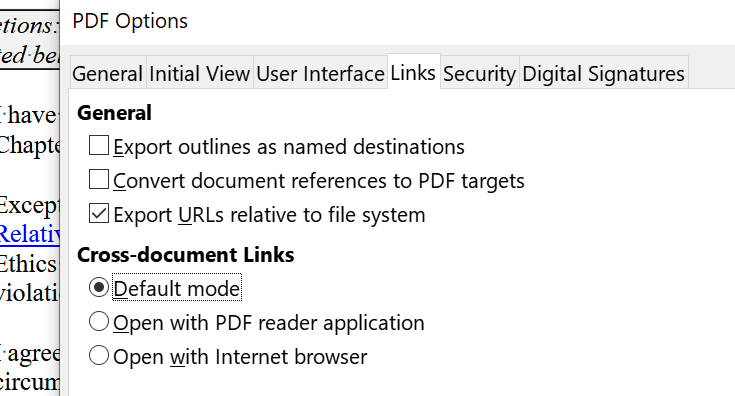
- ajz1076_000409.png (46.04 KiB) Viewed 7880 times
And again, I've tried just about every varation of checked boxes.
Thanks for your consideration.
Re: LibreOffice Writer how do I retain hyperlinks when exporting to PDF
Posted: Fri Jul 21, 2023 5:28 am
by Zizi64
The links of the attachments are not clickable. I think the uploading of the attachments was not completed.
And please upload real sample files (ODF, PDF) instead of the images. Use an image only to show the settings of the PDF export.
Re: How do I retain hyperlinks when exporting to PDF
Posted: Fri Jul 21, 2023 3:04 pm
by azibuck
The images show the links are clickable in LOW, not clickable in the exported PDF. But if it helps, here is the doc and the exported pdf.
Re: How do I retain hyperlinks when exporting to PDF
Posted: Fri Jul 21, 2023 8:18 pm
by Zizi64
You need edit the hyperlinks:
Right Click on a Hyperlink - Edit Hyperlink - Internet - Further settings - Frame - _blank

- Edit hyperlinks.png (21.82 KiB) Viewed 7920 times
Then try to export the document again: File - Export as - Export as PDF
I just modified the first three hyperlinks only in your document:
Re: How do I retain hyperlinks when exporting to PDF
Posted: Fri Jul 21, 2023 9:42 pm
by azibuck
Thank you! You may consider this rhetorical, but if you know... what does the Frame setting do? Why did that matter?
Re: How do I retain hyperlinks when exporting to PDF
Posted: Fri Jul 21, 2023 10:26 pm
by MrProgrammer
azibuck wrote: ↑Fri Jul 21, 2023 9:42 pm
what does the Frame setting do?
service Frame
service Frame wrote:_blank is used to create a new frame when dispatching the URL
Re: How do I retain hyperlinks when exporting to PDF
Posted: Sat Jul 22, 2023 7:22 am
by Zizi64
but if you know... what does the Frame setting do? Why did that matter?
I just tried to change some properties what maybe are related to the PDF export and to the problem... And this one worked... I do not changed any other parameters, options nor properties of your original sample file when this one was tried.
Re: [Solved] How do I retain hyperlinks when exporting to PDF
Posted: Sat Dec 02, 2023 9:35 pm
by VHF
An update, after some 13 years! I followed the gentleman's advice (to add the _blank field) and was disappointed that it did not work. Then I noticed he also said to use the Export function. THAT WORKED! In other words, if my printer software (or the Mac program?) did the compiling, it did, yes, create a pdf with certain words in blue, but these did not function as hyperlinks. When OpenOffice did the compiling instead, the links remained active.