Wi
th Tables selected in the left column of the main Base window, right click on the table you are trying to add data, then select Edit from the list of options.
Look on the left column of the Table Design dialog, is there a Field with a small yellow key?
The field named "INVOICE/SOnumber" has such a key in the following screen shot. That small yellow key indicates that field is the Primary Key for that table.
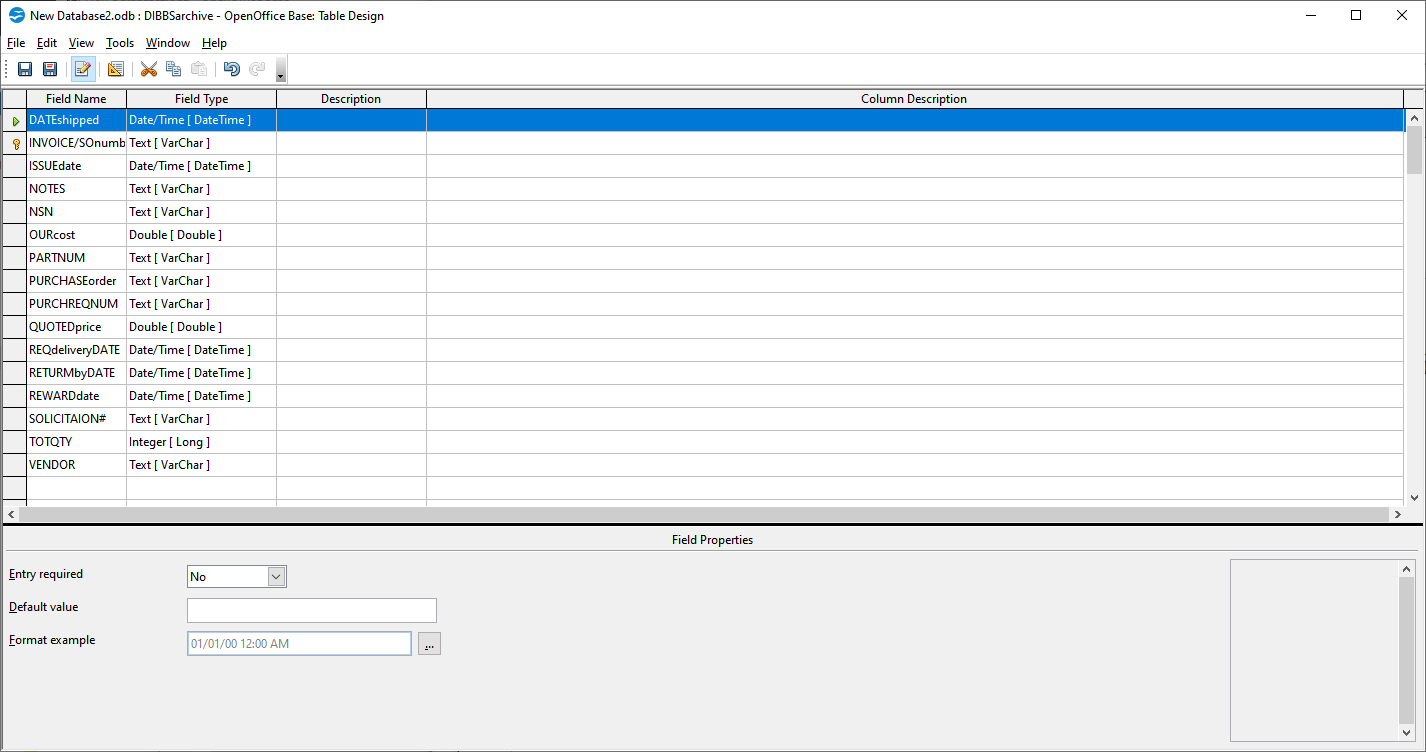
- PKscreen.png (28.71 KiB) Viewed 1341 times
If none of the fields in your table has such a key, then your Access table is read only and to enter new data will likely require copying your table(s) to a new database.
To accomplish that, from your Access connection press <Ctrl>N to open a dialog where you can
Create a new database.
Use all the defaults and select Finish. Navigate to where you want to put the new file and type a name for the database.
With the new database saved and opened, use cut and paste to copy the Access table to the new database.
For a first attempt, just use the defaults in the
Copy Table dialog and select Finish. It will ask if you want to create a Primary Key, answer Yes,
With a little luck it should copy the data without errors.
Right click on the newly created table and select Edit to open the
Table Design dialog. Select the field with the name ID (it should have the yellow key in the left column) and look toward the bottom of the window and change AutoValue to Yes.
Save the changes and Exit the dialog.
You should now be able to add new data to this database.
It is best to create a Form and use that for data entry, rather than the Table Data View.
This will be an Embedded HSQL database. Be diligent with backups, Embedded databases are susceptible to corruption and without a backup often all is lost!
An introduction of Base can be found at
https://wiki.openoffice.org/w/images/3/ ... thBase.pdf
For a more complete Base Guide see
https://documentation.libreoffice.org/e ... mentation/If your problem has been solved, please edit this topic's initial post and add "[Solved]" to the beginning of the subject line
Apache OpenOffice 4.1.14 & LibreOffice 7.6.2.1 (x86_64) - Windows 10 Professional- Windows 11
